Best AI Art Tools for Digital Artists and Creators
A comprehensive guide to AI art tools that empower digital artists to create stunning visuals and expand their creative possibilities.

The Ultimate Guide to the Best AI Art Tools for Digital Artists and Creators in 2024
Introduction: The AI-Powered Creative Revolution
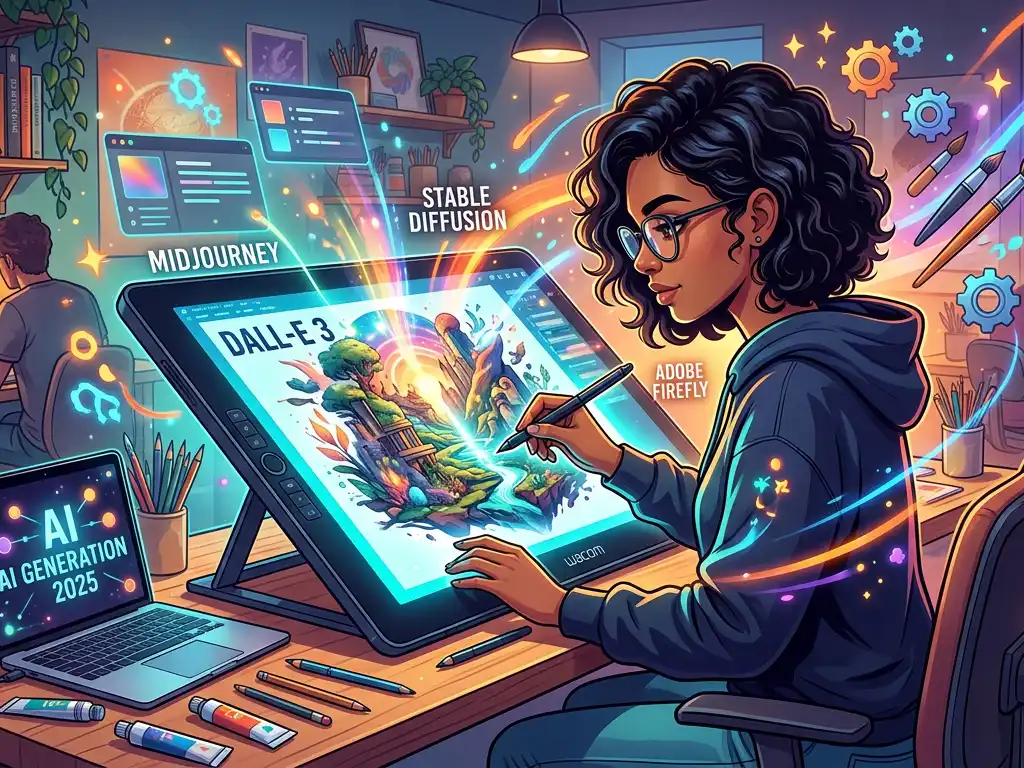
The canvas of digital art is no longer confined to brushes, layers, and painstaking manual effort. We are in the midst of a creative revolution, powered by artificial intelligence. For digital artists, illustrators, designers, and creators of all kinds, AI art tools have evolved from curious novelties into indispensable parts of the professional toolkit. These tools are not here to replace the artist but to augment creativity, shatter creative blocks, and unlock workflows that were previously unimaginable.
This comprehensive guide is designed for the modern creator. Whether you're a seasoned digital painter looking to accelerate your concept art, a graphic designer seeking fresh inspiration, or a hobbyist exploring new frontiers, understanding the landscape of AI art tools is crucial. We will move beyond the hype to provide a practical, in-depth analysis of the best tools available, complete with features, pricing, real-world use cases, and actionable strategies to integrate them into your creative process. Let's explore how AI can become your most powerful collaborator.
Understanding the AI Art Tool Ecosystem: From Text-to-Image to Full Creative Suites
Before diving into specific tools, it's essential to understand the categories they fall into. Not all AI art tools are created equal, and each serves a distinct purpose in the creative pipeline.
Core Technologies:
- Text-to-Image Generation: The most well-known category. You input a text prompt (e.g., "a majestic cyberpunk samurai in a neon-drenched Tokyo alley, cinematic lighting"), and the AI generates an image.
- Image-to-Image Transformation: You provide a base image (a sketch, a photo, an existing artwork), and the AI transforms it based on a text prompt or a style reference. This is invaluable for iterating on concepts.
- AI-Powered Editing & Enhancement: Tools that use AI to perform specific tasks like upscaling resolution, removing backgrounds, expanding image borders ("outpainting"), or intelligently filling in missing parts ("inpainting").
- Specialized Generators: AI trained for specific outputs like logos, character sheets, architectural visualizations, or consistent character generation across multiple scenes.
The best creative workflows often involve chaining several of these tools together.
The Top AI Art Tools: Features, Strengths, and Ideal Users
Here, we break down the leading platforms, examining what makes each unique and who they serve best.
### 1. Midjourney: The King of Artistic Flair and Style
Overview: Accessible via Discord, Midjourney is renowned for its default "beautiful," painterly, and often fantastical aesthetic. It excels at creating images that feel like cohesive artworks with strong artistic intent.
Key Features:
- Unmatched Aesthetic Coherence: Consistently produces stunning, stylistically rich images.
- Advanced Stylization Parameters: Commands like
--stylize <value>and--weird <value>offer fine-tuned control over the output's creativity. - Strong Community: Learning is accelerated by seeing prompts and results from a massive user base in real-time.
- Consistent Updates: Regular model updates (V6 is the latest as of 2024) bring significant improvements in prompt understanding, realism, and text rendering.
Pricing: Tiered subscription model starting at approximately $10/month for basic access.
Ideal For: Concept artists, illustrators, fantasy/sci-fi creators, and anyone prioritizing artistic beauty and atmosphere over photorealistic precision. Perfect for generating book covers, poster art, and inspirational mood boards.
Real-World Example: A fantasy novelist uses Midjourney with prompts like "cover art for a novel, ancient library with floating islands, ethereal light, in the style of Greg Rutkowski and Thomas Kinkade, epic scale" to rapidly visualize and present cover concepts to their publisher.
### 2. DALL-E 3 (via ChatGPT & Bing Image Creator): The Prompt Understanding Powerhouse
Overview: Integrated directly into ChatGPT and Microsoft's Copilot ecosystem, DALL-E 3's greatest strength is its deep integration with a large language model. It excels at understanding complex, nuanced prompts and rendering text within images more accurately than most competitors.
Key Features:
- Superior Prompt Adherence: You can use long, descriptive, and natural language prompts, and DALL-E 3 will follow them closely.
- ChatGPT Integration: You can have a conversational back-and-forth to refine your image within ChatGPT, making the process intuitive.
- Safety & Accessibility: Built with strong content safeguards and available through user-friendly interfaces.
Pricing: Access is included with ChatGPT Plus ($20/month). Also available for free (with limits) via Microsoft Bing Image Creator.
Ideal For: Content creators, marketers, educators, and designers who need specific, detailed scenes with correct elements and legible text. Excellent for social media graphics, blog illustrations, and educational materials.
Real-World Example: A blogger writing about "sustainable urban farming" asks ChatGPT with DALL-E 3: "Create a friendly, infographic-style illustration showing a cross-section of a rooftop aquaponics system, with clear labels for 'fish tank,' 'grow beds,' and 'water pump.'" The AI generates a perfectly serviceable graphic for the article.
### 3. Stable Diffusion & Its Ecosystem (Automatic1111, ComfyUI): The Open-Source Power User's Playground
Overview: Stable Diffusion is the open-source model that democratized AI art. While the base model is free, its true power lies in community-developed interfaces like Automatic1111 (web UI) and ComfyUI (node-based workflow), and thousands of custom-trained models (LoRAs).
Key Features:
- Unparalleled Control & Customization: Run it locally on your GPU for unlimited, private generations. Fine-tune every parameter.
- Vast Model Ecosystem: Download specialized models trained on anything from anime (
Anything V5) to photorealism (Realistic Vision) to specific artistic styles. - Advanced Techniques: Full control over inpainting/outpainting, img2img strength, and negative prompts.
- Cost-Effective: Free to run locally after initial hardware setup.
Pricing: Free (self-hosted). Also available via paid, simplified interfaces like Leonardo.ai (which offers a generous free tier and a superb interface for training your own models) and Clipdrop by Stability AI.
Ideal For: Technical artists, developers, researchers, and anyone who needs maximum control, privacy, or wants to train custom models on their own artwork. Leonardo.ai is a fantastic gateway for less technical users to access this power.
Real-World Example: An indie game developer uses a locally run Stable Diffusion with a custom LoRA model they trained on their own game's concept art. They use img2img to quickly generate dozens of variations of enemy creature designs from their rough sketches, maintaining a consistent art style.
### 4. Adobe Firefly (in Photoshop & Web): The Seamless Professional Integration
Overview: Adobe's suite of generative AI tools is built directly into the creative applications professionals already use, most powerfully inside Adobe Photoshop (Generative Fill/Expand) and as a standalone web app.
Key Features:
- Context-Aware Generative Fill: The industry game-changer. Select any area of an image, describe what you want to add or replace, and Firefly blends it in seamlessly, matching lighting, perspective, and style.
- Generative Expand (Outpainting): Effortlessly extend the borders of any image.
- Ethically Trained Model: Trained on Adobe Stock, public domain content, and openly licensed work, addressing copyright concerns for commercial clients.
- Text Effects & Vector Recolor: Generate stylized text and recolor vector artwork with text prompts.
Pricing: Included with all Adobe Creative Cloud subscriptions (starting at ~$55/month).
Ideal For: Photographers, photo editors, graphic designers, and any professional already in the Adobe ecosystem. It's less about generating images from scratch and more about supercharging existing editing and compositing workflows.
Real-World Example: A product photographer shoots a watch on a white background. They use Generative Fill to place the watch on a realistic mahogany desk with a subtle glass of whiskey in the background, creating a lifestyle shot in minutes instead of hours of shooting or complex masking.
### 5. Runway ML: The Video and Motion Specialist
Overview: While it does images, Runway has positioned itself as the leading AI tool for generative video. It's a comprehensive suite for next-gen content creation.
Key Features:
- Gen-2 Video Generation: Create short video clips from text or image prompts.
- Motion Brush & Video Editing Tools: Animate specific elements of a still image or apply AI-powered edits to existing video (e.g., blur backgrounds, smooth motion, remove objects).
- Multi-Tool Suite: Also includes image generation, inpainting, and background removal.
Pricing: Free tier with watermark; paid plans start at $15/user/month for commercial use and more generations.
Ideal For: Video editors, animators, social media content creators, and filmmakers exploring AI video. Ideal for creating dynamic storyboards, social media clips, and experimental video art.
Real-World Example: A music video director storyboards a concept featuring a dancer whose movements leave trails of light. They use Runway's image-to-video on keyframes of the dancer, then use the motion brush to add flowing, ethereal light effects to the resulting video sequence.
Practical Workflows: Integrating AI into Your Creative Process
AI tools shouldn't exist in a vacuum. Here’s how they fit into real creative pipelines:
- The Concept Artist's Pipeline: 1) Brainstorm with Midjourney for mood and style. 2) Sketch core ideas. 3) Use Stable Diffusion (img2img) to generate multiple iterations of the sketch. 4) Refine the chosen iteration in Photoshop, using Firefly's Generative Fill to add details or fix elements.
- The Social Media Manager's Pipeline: 1) Use DALL-E 3 via ChatGPT to generate a batch of consistent, on-brand illustration ideas for a post series. 2) Edit and composite final graphics in Canva (which now has integrated AI tools) or Photoshop. 3) Use Runway to create a 3-second animated intro for the Reel/TikTok version.
- The Product Designer's Pipeline: 1) Sketch a new product idea. 2) Use Leonardo.ai or Midjourney to visualize it in different materials and environments. 3) Create high-fidelity mockups by using Firefly's Generative Fill in Photoshop to place the product shot into realistic lifestyle scenes for the presentation deck.
Actionable Tips and Best Practices for 2024
- Master the Prompt Craft: Be specific. Instead of "a dragon," try
"a wise, ancient water dragon coiled around a moss-covered ruins, bioluminescent scales, soft volumetric fog, cinematic, 8k, detailed."Use artist names (by Albert Bierstadt), photography terms (shot on 70mm film), and style keywords (vector flat design). - Iterate, Don't Expect Perfection: The first result is rarely the final one. Use variations, tweak your prompt, and use the best output as a new base for img2img transformations.
- Embrace Hybrid Creation: AI is a starting point, not an endpoint. Always bring the image into your preferred digital art software (Procreate, Photoshop, Krita) to paint over, correct anatomy, fix weird hands, and inject your unique artistic signature.
- Address the Ethical Elephant in the Room:
- Be Transparent: If you're selling AI-assisted work, disclose the use of AI where relevant.
- Respect Copyright: Avoid using prompts that explicitly copy a living artist's style for commercial work without permission. Use style descriptors more generically.
- Understand Licensing: Know the terms of service of the tool you use. Most allow commercial use of generated images for paying subscribers, but always double-check.
- Stay Curious and Adaptive: This field moves incredibly fast. Follow AI art communities on Discord and Reddit to learn about new tools, techniques, and model releases.
Conclusion: Your AI-Powered Creative Future
The landscape of AI art tools is rich, diverse, and evolving at a breathtaking pace. From the stylistic mastery of Midjourney and the precise prompt-following of DALL-E 3, to the granular control of Stable Diffusion, the professional integration of Adobe Firefly, and the video-forward innovation of Runway, there is a tool for every creative need and skill level.
The key takeaway is that these are not autonomous artists but amplifiers of human creativity. The most successful digital artists of the coming years will be those who learn to co-create with these models—guiding them with skilled prompts, editing their outputs with a critical eye, and seamlessly blending AI-generated elements with traditional digital art techniques.
Start by picking one tool that aligns with your primary need. Experiment without pressure, integrate it into one step of your existing workflow, and build from there. The future of digital art is not human versus machine; it's human with machine. Your new creative collaborator is waiting. It's time to start the conversation.
Ready to begin? Choose one tool from this guide, explore its community for inspiration, and dedicate an hour to creating something new today. The only limit is your imagination—now exponentially empowered.