Best AI Video Editing Tools for Content Creators
Discover AI video editing tools that make professional video creation faster and easier for content creators.
The Ultimate Guide to the Best AI Video Editing Tools for Content Creators in 2024
Introduction: The AI Revolution in Video Editing
In the fast-paced world of digital content, creators face a constant battle against the clock. Editing a single video can consume hours, even days, of meticulous work—color grading, trimming clips, adding effects, and syncing audio. But what if you could reclaim that time? Enter Artificial Intelligence, the game-changing force that's democratizing professional video editing. AI video tools are no longer futuristic concepts; they are practical, powerful assistants that automate tedious tasks, enhance creative possibilities, and empower creators of all skill levels to produce stunning content at unprecedented speed.
For the modern content creator—whether a YouTuber, social media influencer, marketer, educator, or indie filmmaker—leveraging AI is becoming less of an option and more of a necessity to stay competitive. This comprehensive guide will explore the best AI video editing tools available, breaking down their features, pricing, and ideal use cases to help you choose the perfect digital co-pilot for your creative journey.
Understanding AI in Video Editing: Core Capabilities
Before diving into specific tools, it's crucial to understand what AI can actually do in the editing suite. Modern AI video tools leverage machine learning and computer vision to perform tasks that traditionally required human intuition and manual effort.
Key AI-Powered Features:
- Automated Editing: AI can analyze raw footage, select the best takes, and assemble a coherent rough cut based on pacing, composition, and even sentiment.
- Smart Trimming & Silence Removal: Tools automatically detect pauses, "ums," and dead air, cutting them out to create a tighter, more engaging flow.
- Auto-Reframing: Using object tracking, AI can keep subjects centered as they move, perfect for converting horizontal (landscape) video to vertical (portrait) for platforms like TikTok and Instagram Reels.
- Color Correction & Grading: AI can analyze scenes and apply cinematic color grades or correct white balance and exposure with a single click.
- Text-to-Video & Script-Based Editing: Write a script, and the AI finds b-roll, syncs clips to your voiceover, and adds text animations. Some tools can even generate video from text prompts.
- Motion Tracking & Visual Effects: Easily attach text, graphics, or effects to moving objects without manual keyframing.
- AI-Generated Media: Create custom voiceovers, music, or even synthetic video clips and images directly within the editing platform.
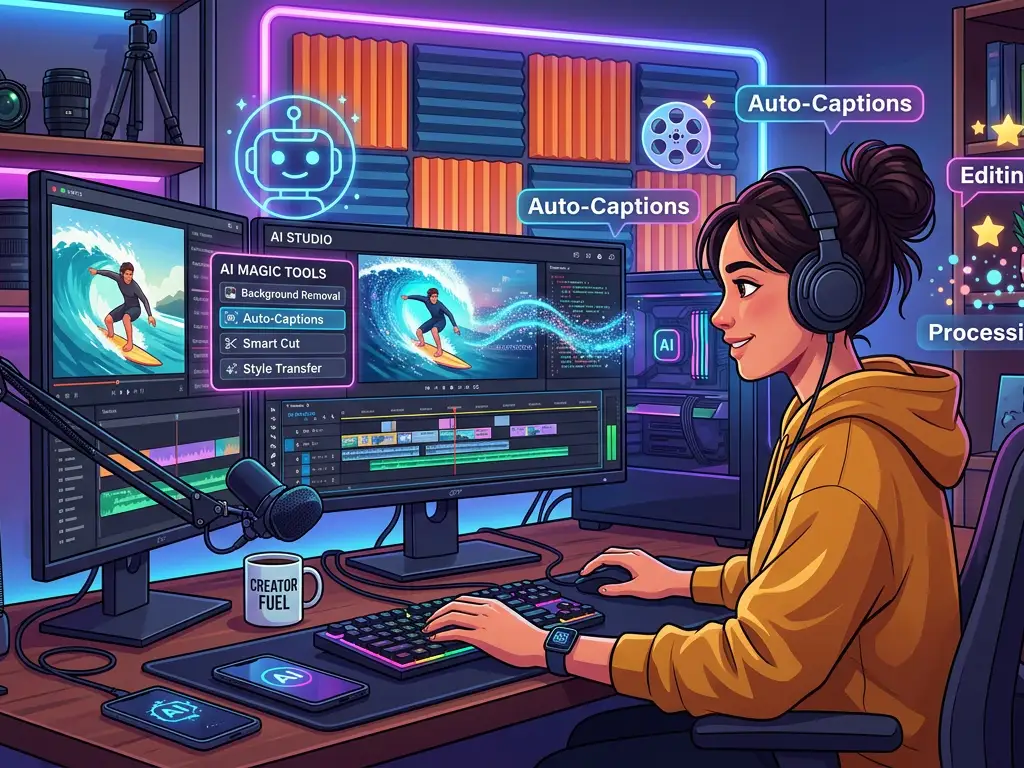
- Automated Subtitles & Captioning: Accurately generate and sync subtitles in multiple languages, a critical feature for accessibility and social media engagement.
Top AI Video Editing Tools for Content Creators
Here’s a detailed breakdown of the leading tools, categorized to help you find the best fit for your needs and budget.
### 1. Runway ML: The Generative Powerhouse
Runway has positioned itself at the forefront of generative AI for video. It’s a suite of over 30 AI tools designed for creative professionals.
- Key AI Features: Gen-2 (text-to-video, image-to-video), motion tracking, green screen removal, inpainting/outpainting, frame interpolation, super-slow motion.
- Pricing: Free tier with limited credits; Paid plans start at $15/user/month for increased credits and features.
- Best For: Creators who want to experiment with generative video, artists, and those needing advanced VFX without complex software like After Effects.
- Real-World Example: A filmmaker uses Runway's Gen-2 to generate dream sequence clips by typing prompts like "ethereal forest with floating lights." They then use the green screen tool to seamlessly composite an actor into that generated scene.
### 2. Descript: The Podcast & Screencast Editor's Dream
Descript takes a revolutionary, text-based approach to editing. You edit audio and video by editing a transcript, as if it were a document.
- Key AI Features: Overdub (create AI voice clones), Studio Sound (noise removal), Eye Contact (corrects gaze for webcam footage), automatic transcription and subtitle generation.
- Pricing: Free tier available; Creator plan starts at $15/month.
- Best For: Podcasters, interviewers, educators, and anyone who creates content driven by spoken word. It’s perfect for editing long-form talk content quickly.
- Real-World Example: A podcaster records a 60-minute interview. In Descript, they delete sentences from the transcript to remove tangents. They use Studio Sound to clean up background hum, and the Overdub feature to seamlessly correct a mispronounced word without re-recording.
### 3. Pictory: The Blog-to-Video & Summarization Expert
Pictory excels at transforming long-form content into short, engaging social videos automatically. It’s a web-based tool focused on simplicity and speed.
- Key AI Features: Script-to-video, blog post-to-video, auto-summarization of long videos, automatic highlight reel creation, extract quotes as social clips.
- Pricing: Starts at $23/month for the Standard plan.
- Best For: Marketers, bloggers, and social media managers who need to repurpose webinars, podcasts, or articles into video content for multiple platforms.
- Real-World Example: A marketing team has a recorded 45-minute webinar. They upload it to Pictory, and the AI auto-generates a 1-minute highlight trailer, a 5-minute summary, and several quote graphics—all ready to post on LinkedIn, Twitter, and Instagram.
### 4. Adobe Premiere Pro + Adobe Sensei: The Professional's AI Assistant
For professionals already in the Adobe ecosystem, Premiere Pro’s built-in AI, Adobe Sensei, provides powerful enhancements without leaving the industry-standard NLE (Non-Linear Editor).
- Key AI Features: Auto Reframe, Color Match, Scene Edit Detection, Speech-to-Text for captions, Morph Cut for smoothing jump cuts in interviews.
- Pricing: Part of the Creative Cloud subscription, starting at $22.99/month for Premiere Pro alone.
- Best For: Professional videographers, filmmakers, and editors who need robust, integrated AI features within a full-featured editing timeline.
- Real-World Example: A documentary editor uses Scene Edit Detection to automatically break a long interview into separate clips on the timeline. They then use Auto Reframe to create a vertical version of a key scene for Instagram Reels, ensuring the subject is always in frame.
### 5. CapCut: The Free, Feature-Packed Contender
Owned by ByteDance (TikTok's parent company), CapCut is a surprisingly powerful free desktop and mobile editor packed with AI features tailored for social virality.
- Key AI Features: Auto-captions with styling, AI-generated characters (avatars), text-to-speech in multiple languages, beat-sync for music, AI-powered background removal.
- Pricing: Completely free for core features; some advanced templates or assets may be premium.
- Best For: TikTok, Instagram Reels, and YouTube Shorts creators, especially beginners or those on a tight budget.
- Real-World Example: A travel creator uses CapCut on their phone. They upload a landscape clip, and the AI beat-sync feature automatically cuts the video to the rhythm of their chosen song. They then add dynamic, auto-generated captions that pop in time with the music.
### 6. Synthesia: The AI Presenter Platform
Synthesia specializes in creating professional-looking videos from text, using AI avatars (digital presenters) and voiceovers.
- Key AI Features: 140+ AI avatars, 120+ languages and accents, text-to-video with an AI presenter, custom avatar creation (enterprise), screen recording integration.
- Pricing: Personal plans start at $30/month for limited minutes.
- Best For: Corporate training, explainer videos, product marketing, and anyone needing to create professional talking-head videos without a camera, studio, or on-screen talent.
- Real-World Example: A global software company needs to update its training modules for 10 countries. Instead of reshooting, they use Synthesia to generate videos with avatars speaking in the local language from an updated English script, saving thousands in production costs.
Practical Use Cases: Matching Tools to Your Workflow
Choosing the right tool depends entirely on your primary content type and goals.
- The Social Media Manager: Your toolkit should prioritize speed and repurposing. Use Pictory to turn blog posts into videos and CapCut for quick, trendy edits with auto-captions. Use Runway for eye-catching generative intros.
- The Educator/Course Creator: Focus on clarity and engagement. Descript is ideal for cleaning up lecture audio and editing via transcript. Synthesia can create introductory or multilingual explainer modules. Use AI subtitle tools across all platforms for accessibility.
- The Solo Vlogger/YouTuber: You need an all-in-one efficiency booster. Descript handles your voiceover and podcast-style segments. Use Premiere Pro's Auto Reframe for social clips. Leverage Runway for impossible b-roll or to remove unwanted objects from shots.
- The Marketing Agency: You need scalable, branded content. Use Synthesia for consistent client explainers. Use Pictory to maximize ROI on webinar content. Employ Adobe's Sensei features to maintain high production value while speeding up turnaround.
Actionable Tips and Best Practices for AI Video Editing
- Start with a Clear Goal: AI is a powerful assistant, not a creative director. Begin with a solid script, storyboard, or clear vision. Use AI to execute, not to ideate from zero.
- The Human Touch is Non-Negotiable: Always review AI output. Check auto-captions for errors, ensure auto-reframing hasn't cut off important elements, and apply your creative judgment to color grades.
- Master One Tool at a Time: Don't try to learn all platforms simultaneously. Choose one that best fits your primary use case, master its AI features, then consider integrating a second for specific gaps.
- Ethical Considerations are Key: Be transparent if using AI-generated avatars or voices. Respect copyright—ensure you have rights to any source footage or audio you feed into these tools. Understand the data privacy policies of the platforms you use.
- Combine Tools for Maximum Power: Your workflow might involve generating a script with ChatGPT, creating a voiceover with Descript's Overdub, producing b-roll with Runway, and assembling the final cut in Premiere Pro. Embrace a multi-tool pipeline.
- Invest in Your Foundation: AI can't fix fundamentally bad footage. Good lighting, clear audio, and stable shots will make any AI tool's output infinitely better.
Conclusion: Embracing Your AI-Powered Creative Future
The landscape of video creation is undergoing a seismic shift. The AI video editing tools we've explored—from the generative artistry of Runway to the text-based simplicity of Descript and the social-ready power of CapCut—are not here to replace creators. They are here to amplify creativity, eliminate drudgery, and democratize high-quality production.
The key takeaway is that there is no single "best" tool. The best tool is the one that aligns with your specific content niche, skill level, and workflow needs. Start by identifying your biggest pain point in editing. Is it the time spent on captions? The headache of repurposing? The complexity of effects? Let that guide your choice.
Begin with a free trial, experiment on a low-stakes project, and integrate these AI assistants into your process step-by-step. By strategically leveraging artificial intelligence, you free up your most valuable asset: time. Time to focus on storytelling, strategy, and connecting with your audience. The future of video content is intelligent, efficient, and incredibly creative—and it’s ready for you to hit "render."
Ready to start? Pick one tool from this guide that solves your immediate challenge and explore its free tier today. The next evolution of your content awaits.