How AI Tools Are Transforming Remote Work
Explore how AI tools are revolutionizing remote work and making distributed teams more productive than ever.
How AI Tools Are Transforming Remote Work: A Comprehensive Guide
Introduction: The New Frontier of Work
The traditional office, with its cubicles and watercooler chats, is rapidly becoming a relic of the past. The global shift toward remote and hybrid work models, accelerated by recent world events, is now a permanent fixture of the professional landscape. While this shift offers unparalleled flexibility, it also introduces significant challenges: communication gaps, collaboration hurdles, productivity dips, and the ever-present threat of burnout from the "always-on" digital culture.
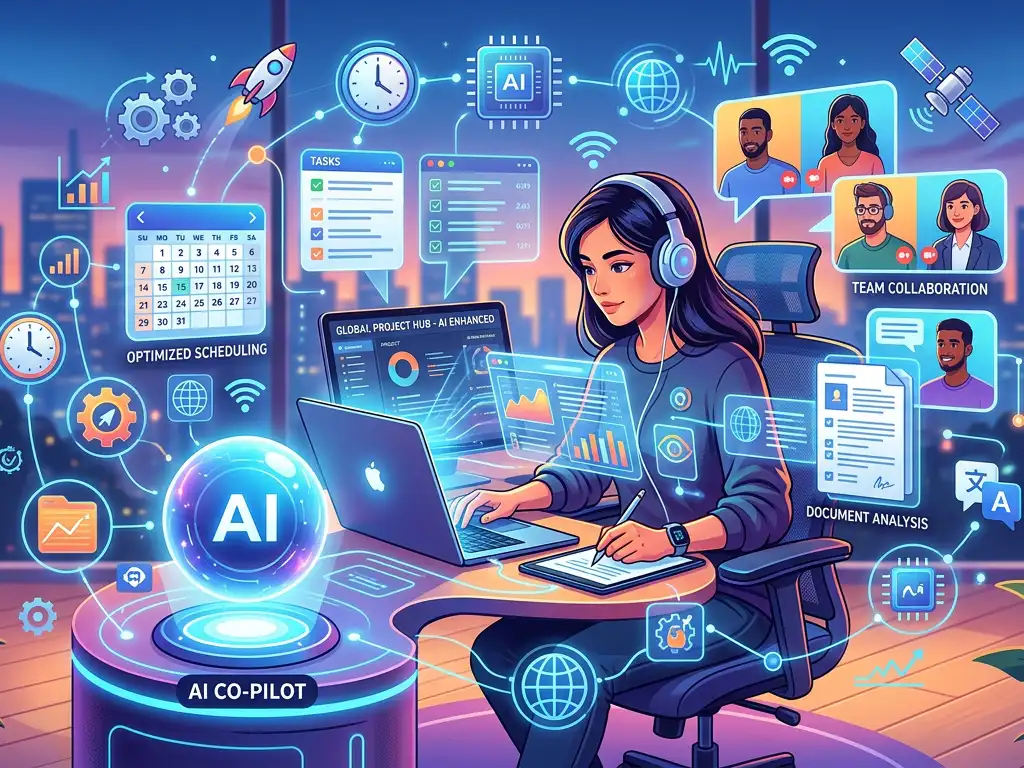
Enter Artificial Intelligence (AI). No longer just a buzzword of science fiction, AI has emerged as the indispensable co-pilot for the modern distributed workforce. It is systematically dismantling the barriers of distance, automating the mundane, and augmenting human intelligence to create a more connected, efficient, and balanced work environment. This article explores how AI tools are not just supporting but fundamentally transforming remote work, providing you with actionable insights, real-world examples, and a roadmap to leverage this revolution for your own team's success.
The Core Pillars of AI-Driven Remote Work Transformation
AI's impact on remote work is multifaceted, but it primarily reinforces four critical pillars that ensure a distributed team's success: Communication, Collaboration, Productivity, and Well-being.
1. Supercharging Communication and Collaboration
In a remote setting, the absence of non-verbal cues and spontaneous "desk-side" conversations can lead to misunderstandings and silos. AI tools are bridging this gap.
AI-Powered Meeting Assistants: Tools like Otter.ai, Fireflies.ai, and Grain integrate with video conferencing platforms (Zoom, Teams, Google Meet) to transcribe conversations in real-time, generate searchable summaries, and extract key decisions and action items. This eliminates the need for a dedicated note-taker and ensures everyone, regardless of time zone or attention span, is on the same page.
- Example: A product manager can quickly search the transcript of a 60-minute sprint planning meeting to find the exact moment when a launch date was agreed upon, saving precious time.
Smart Writing and Messaging Enhancers: Grammarly and Wordtune go beyond basic grammar checks. They analyze tone, clarity, and engagement, helping remote workers craft emails and Slack messages that are clear, professional, and context-appropriate, reducing the chance of misinterpretation.
Real-Time Translation: AI-driven translation features in platforms like Microsoft Teams and Zoom provide near-instant subtitles, breaking down language barriers in global teams and fostering more inclusive collaboration.
2. Automating for Peak Productivity and Focus
Remote work blurs the lines between personal and professional life, often leading to task saturation. AI excels at taking repetitive, time-consuming tasks off your plate.
- Intelligent Task and Project Management: Modern platforms like ClickUp and Asana are embedding AI to automate workflow creation, predict project timelines, and auto-assign tasks based on team member workload and expertise. Trello's "Butler" automation is a prime example of rule-based AI that handles routine board actions.
- AI Research and Synthesis Assistants: Tools like Genei and Mem.ai allow professionals to upload documents, articles, and research papers. The AI then summarizes content, extracts key concepts, and connects related information across your knowledge base, dramatically accelerating the research phase of any project.
- Focus and Distraction Management: AI can also help protect your most valuable asset: deep work time. Apps like Motion use AI to build your optimal daily schedule by factoring in task priority, deadlines, and your personal work habits, automatically defending focus time.
3. Enhancing Creativity and Problem-Solving
AI is not just an automation engine; it's a creative partner that can augment human ingenuity, a critical advantage for remote teams lacking in-person brainstorming sessions.
- Content and Design Co-Creation: Tools like ChatGPT and Jasper can help draft blog outlines, marketing copy, or code snippets. Canva's AI-powered "Magic Write" and design suggestion features enable anyone to create professional visuals, empowering non-designers in a remote team to produce high-quality materials.
- Data Analysis and Insight Generation: For data-driven roles, AI tools like Tableau's "Ask Data" feature or Microsoft Power BI's Quick Insights allow remote analysts to query datasets using natural language and receive instant visualizations and trends, speeding up the decision-making cycle without needing a data scientist on every call.
4. Cultivating Well-being and Company Culture
Perhaps the most profound transformation is AI's role in safeguarding the human element of remote work—preventing isolation and burnout.
- Sentiment and Engagement Analysis: Platforms like Microsoft Viva Insights and Culture Amp use AI to analyze aggregated and anonymized data from emails, calendars, and surveys. They provide managers with insights into team well-being, identifying patterns of after-hours work, meeting overload, or collaboration gaps, enabling proactive interventions.
- Personalized Learning and Development: AI-driven platforms like LinkedIn Learning and Coursera recommend personalized upskilling paths based on your role, goals, and existing skill gaps, ensuring remote employees have clear growth trajectories.
- AI-Enabled Mentorship and Connection: Tools are emerging that use AI to match employees for virtual coffee chats or mentorship based on shared interests, projects, or career goals, actively fostering the informal networks that thrive organically in an office.
Real-World Use Cases and Practical Examples
Let's translate these concepts into tangible scenarios across different departments:
- For Marketing Teams: A fully remote marketing team uses ChatGPT to brainstorm dozens of headline variations for a new campaign. They use Otter.ai to capture and share insights from a customer interview. Finally, they use Canva to quickly produce a suite of social media graphics aligned with their brand, all without a single synchronous meeting blocking their day.
- For Software Development: A distributed engineering team uses GitHub Copilot to suggest code completions and functions in real-time as they program, boosting individual efficiency. Their daily stand-up is recorded and processed by Fireflies.ai, which posts the summary and action items directly into their Slack channel for absent team members in other time zones.
- For Customer Support: Remote support agents use an AI-powered knowledge base (like Guru or Zendesk Answer Bot) that surfaces the exact solution article while they are on a live chat. AI sentiment analysis flags frustrated customers in the queue, allowing managers to prioritize and assist, improving resolution times and customer satisfaction.
- For Leadership and Management: A director uses Viva Insights to see that her team has a 40% overlap in meeting hours across different projects. She uses this AI-generated insight to reorganize project timelines, freeing up 10 hours per week for deep work, which she communicates via a clarity-adjusted email drafted with Grammarly.
Actionable Tips and Best Practices for Implementation
Adopting AI successfully requires strategy, not just software procurement.
- Start with a Problem, Not a Tool: Identify a specific, painful friction point in your remote workflow (e.g., "We waste 3 hours a week compiling meeting notes"). Then seek an AI tool that solves that problem.
- Prioritize Integration: The best AI tool is one that works where your team already does. Choose tools that integrate seamlessly with your core ecosystem (e.g., Google Workspace, Microsoft 365, Slack). This reduces friction and increases adoption.
- Lead with a Pilot Program: Roll out new AI tools to a small, willing team or department first. Gather feedback, measure impact (e.g., time saved, error reduction), and refine your approach before a company-wide launch.
- Invest in Training and Change Management: AI tools are only as good as their users. Host "lunch-and-learn" sessions, create short tutorial videos, and designate "AI champions" to encourage usage and share best practices. Address fears about job displacement head-on by framing AI as an augmentative tool.
- Maintain a Human-in-the-Loop: Establish clear guidelines. AI is for drafting, not finalizing. It's for analysis, not final judgment. Critical decisions, creative direction, and sensitive communications must always have human oversight and final approval.
- Audit for Security and Privacy: Before adopting any AI tool, rigorously review its data security, privacy policy, and compliance standards (like GDPR, SOC 2). Understand what data the tool processes and where it is stored.
Conclusion and Key Takeaways
The transformation of remote work by AI is not a distant future—it is actively unfolding. AI has evolved from a novelty to a foundational layer of the modern digital workplace, turning the inherent challenges of distance into manageable, and often, superior ways of working.
Key Takeaways:
- AI is the Great Equalizer: It provides remote team members with the same level of access to information, administrative support, and creative augmentation as a centralized office.
- Focus on Augmentation, Not Replacement: The most successful teams use AI to handle repetitive tasks and data crunching, freeing up human time for strategic thinking, empathy, creativity, and complex problem-solving—the irreplaceably human skills.
- The Goal is a Better Work Experience: Ultimately, these tools aim to reduce digital fatigue, prevent burnout, clarify communication, and empower employees to do their most meaningful work, from anywhere.
- Strategic Adoption is Crucial: Success requires intentional integration, focused training, and a culture that views AI as a collaborative partner.
The future of remote work is intelligent, adaptive, and human-centric. By thoughtfully integrating AI tools into your workflows, you are not just keeping up with a trend; you are building a more resilient, innovative, and competitive organization, ready to thrive in the flexible future of work.
The question is no longer if AI will transform your remote work, but how soon and how effectively you will choose to harness its power. Start small, solve a real problem, and scale your success. Your distributed team—and your bottom line—will thank you.