Top AI Image Generators for Designers in 2025
Explore the best AI image generation tools for designers, including DALL-E, Midjourney, Stable Diffusion, and more.
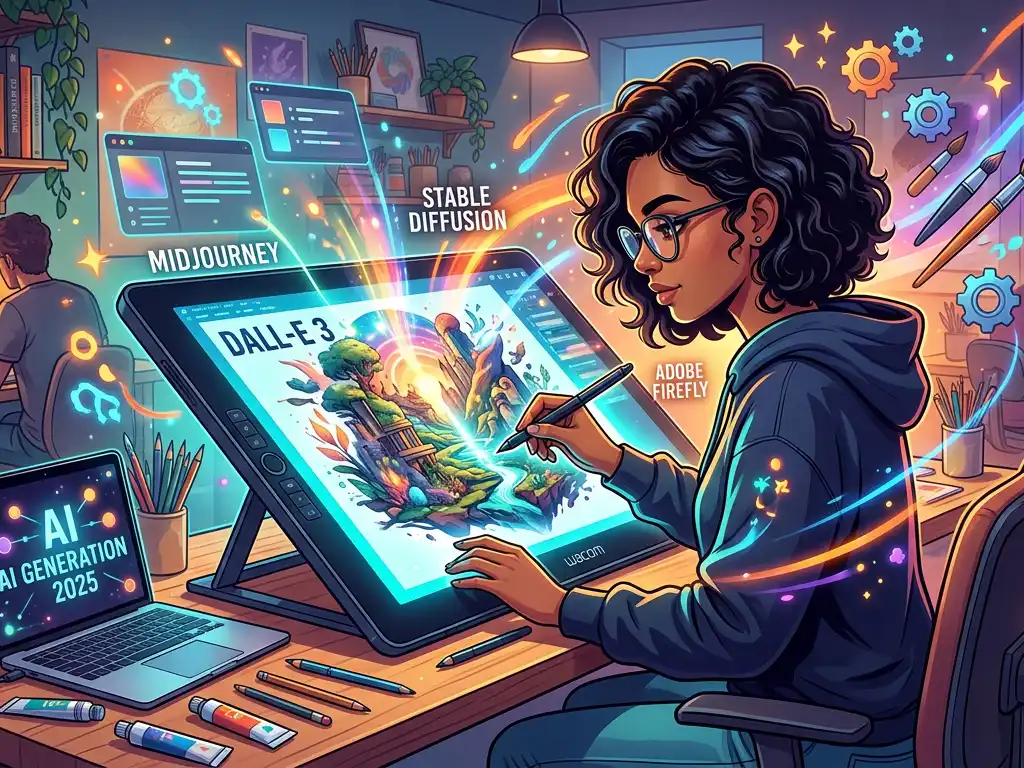
Top AI Image Generators for Designers in 2025: The Ultimate Guide to Elevating Your Creative Workflow
Introduction: Why AI Image Generation is a Designer's New Essential Toolkit
In 2025, the creative landscape has been fundamentally reshaped by artificial intelligence. What began as a novelty has matured into a sophisticated suite of professional tools, seamlessly integrated into the designer's daily workflow. For modern designers, AI image generation is no longer a question of "if" but "how"—how to leverage these powerful tools to enhance creativity, accelerate production, and unlock new artistic possibilities. The right AI generator can serve as an infinite source of inspiration, a tireless production assistant, and a collaborative partner, helping you overcome creative block, generate unique assets, and iterate at unprecedented speed.
This guide cuts through the hype to provide a comprehensive, practical analysis of the top AI image generators specifically curated for professional designers. We'll explore not just the most popular platforms, but the ones offering the precise control, resolution, and integration that serious creative work demands. Whether you're a graphic designer, UI/UX specialist, concept artist, or marketing creative, understanding this ecosystem is critical to staying competitive and innovative in the fast-evolving design world.
The Evolution of AI in Design: From Gimmick to Core Tool
Before diving into the tools, it's crucial to understand the paradigm shift. Early AI image generators produced impressive but often unpredictable results. The 2025 landscape is defined by precision, control, and workflow integration. Key advancements include:
- Consistent Character & Style Maintenance: The ability to generate multiple images of the same character or object from different angles—a game-changer for storyboarding and branding.
- High-Resolution, Commercially Viable Output: Native 4K and beyond, with clean, usable assets.
- Advanced Inpainting & Outpainting: Seamlessly editing specific portions of an image or expanding its canvas intelligently.
- Text & Typography Integration: Moving beyond images to generate coherent text within graphics, a previous major weakness.
- Seamless Software Integration: Plugins for Adobe Creative Cloud, Figma, and other core design environments.
With this context, let's explore the tools leading the charge.
Top AI Image Generators for Designers in 2025
1. Midjourney v7+ (The Artistic Powerhouse)
Best for: Concept art, mood boards, high-end marketing visuals, and unparalleled artistic style.
Midjourney remains a favorite for its distinct, often breathtaking, artistic output. By 2025, it has significantly improved on its historical weaknesses.
- Key Features for Designers:
- Hyper-Realistic and Stylized Modes: Unmatched ability to emulate specific artistic styles, from photorealistic to watercolor, cyberpunk to Renaissance.
- Advanced "Style Tuner": Allows designers to create and save custom style parameters, ensuring brand consistency across projects.
- Precise Composition Controls: New commands for controlling camera angle, focal length, and lighting with photographer-level terminology.
- Native Figma Plugin: Directly generate and iterate on assets within your UI/UX workflow.
- Pricing: Tiered subscription model, with a pro tier offering unlimited generations and priority rendering for high-volume studios.
- Practical Use Case: A branding agency uses Midjourney's style tuner to develop a unique visual language for a client—say, "biotech futurism with organic textures." They generate hundreds of asset variations for website hero images, presentation decks, and social media content in a coherent style, cutting mood board development time from weeks to days.
2. Adobe Firefly (The Integrated Workhorse)
Best for: Designers embedded in the Adobe ecosystem, ethical commercial work, and precise asset creation.
Deeply integrated into Photoshop, Illustrator, and Express, Adobe Firefly is the seamless choice for professionals who need AI that feels like a native feature, not a separate tool.
- Key Features for Designers:
- Generative Fill & Expand in Photoshop: The industry standard for non-destructive, context-aware editing and image extension.
- Text to Vector Graphic in Illustrator: Generate editable SVG vectors from a text prompt—incredible for logo ideation and iconography.
- Ethically Trained Model: Trained on Adobe Stock and public domain content, mitigating copyright concerns for commercial clients.
- Reference Image Upload: Use an image to guide style, color palette, and composition, ensuring alignment with existing brand assets.
- Pricing: Bundled with Creative Cloud subscriptions, with additional generative credits available.
- Practical Use Case: A product designer needs to create multiple lifestyle images for a new chair. They photograph the chair in a studio, then use Generative Expand in Photoshop to place it convincingly into dozens of different AI-generated interiors—a modern loft, a cozy café, a sunny patio—all matching the lighting and perspective of the original shot.
3. DALL-E 4 via ChatGPT (The Conceptual Thinker)
Best for: Brainstorming, ideation, and complex, nuanced prompt execution.
OpenAI's DALL-E, especially when accessed through the conversational interface of ChatGPT, excels at understanding complex, layered requests and iterating on ideas through dialogue.
- Key Features for Designers:
- Conversational Refinement: "Make the character look more worried, and change the background to a rainy city street at night." This iterative dialogue is powerful for honing in on a precise vision.
- Superior Text Rendering: While not perfect, it leads the pack in generating legible text within images, useful for mockups of posters or logos.
- Logical Coherence: Excels at scenes requiring narrative understanding or multiple interacting elements.
- Pricing: Credit-based system within the ChatGPT Plus ecosystem.
- Practical Use Case: A game designer is brainstorming enemy concepts for a sci-fi game. They describe the game's lore and aesthetic to ChatGPT and ask it to generate concepts for "a corrupted maintenance drone, part organic fungus, part broken machinery." Through a rapid conversational exchange, they generate 20 distinct concepts in 10 minutes, which are then handed off to the concept art team for refinement.
4. Stable Diffusion 3.5 (The Open-Source Controllable Engine)
Best for: Technical designers, studios needing custom models, and those requiring maximum control.
For designers who want to "look under the hood," Stable Diffusion via interfaces like ComfyUI or Automatic1111 offers unparalleled control, especially when fine-tuned.
- Key Features for Designers:
- Custom Model Training: Train a model on your own artwork or brand assets to generate images in your unique style.
- Infinite Control via Workflows: Use node-based interfaces (ComfyUI) to create complex, reproducible generation pipelines with granular control over every step.
- Cost-Effective at Scale: Run locally or on your own cloud instance, eliminating per-image fees for high-volume work.
- Massive Community & Plugins: A vast ecosystem of plugins for control nets (pose, depth, edge), upscalers, and specialized models.
- Pricing: Free to use locally; cloud GPU costs vary. Interface is complex, requiring technical investment.
- Practical Use Case: An animation studio trains a LoRA (Low-Rank Adaptation) model on the keyframes of their show's first season. For season two, they use this custom model to rapidly generate background concepts and character pose variations that are perfectly on-style, ensuring visual consistency and accelerating pre-production.
5. Ideogram (The Typography & Layout Specialist)
Best for: Graphic designers, poster artists, and anyone for whom integrated text and layout is non-negotiable.
Ideogram carved its niche by solving the "AI can't do text" problem and has evolved into a premier tool for design where typography and image are one.
- Key Features for Designers:
- Reliable Text Generation: Generate images with readable, stylized logos, slogans, and headlines.
- Layout-Aware Prompts: Understands design concepts like "magazine cover," "concert poster," or "product label" and composes elements accordingly.
- Typography Styles: Apply specific font styles (e.g., "art deco," "grunge," "elegant script") within your image prompts.
- Pricing: Freemium model with paid tiers for higher resolution and priority access.
- Practical Use Case: A freelance graphic designer needs to present three distinct concepts for a music festival poster. Using Ideogram, they prompt for "a psychedelic rock festival poster with the text 'Neon Dreams Festival 2025' in glowing, liquid-style font, featuring a cosmic owl." They get multiple, usable concepts in minutes, complete with integrated headline art.
Actionable Tips & Best Practices for Designers in 2025
Mastering these tools requires a new skill: prompt engineering and creative direction. Here’s how to excel:
- Start with the End in Mind: Use reference images. Most top tools now allow you to upload an image to guide color, style, or composition. This is the single biggest step toward usable results.
- Master the "Designer's Prompt Formula":
[Subject], [Detailed Description], [Art Style/Medium], [Composition], [Color Palette], [Mood/Lighting], [--ar 16:9]Example: "A sustainable water bottle in a bamboo forest, product photography, clean minimalist composition, sage green and natural wood tones, soft morning misty lighting, --ar 3:2" - Iterate, Don't Expect Perfection: Use initial generations as a sketch. Then, use inpainting to refine specific areas or generate variations on the best parts.
- Build a Library of Style Codes: Both Midjourney and Stable Diffusion allow you to save custom styles. Build a library for your go-to aesthetics or client-specific brand guidelines.
- Ethics & Originality are Your Responsibility: Use AI as a collaborator, not a replacement. Always add significant human modification, composition, and intent. Disclose AI use to clients when relevant. Be mindful of copyright and bias in training data.
Conclusion & Key Takeaways: The Future is Collaborative
The AI image generators of 2025 are not about replacing the designer; they are about augmenting the designer's most valuable assets: creativity, vision, and strategic thinking. The tedious tasks of searching for stock, building basic mockups, and generating endless variations are now automated, freeing you to focus on higher-level concepting, art direction, and nuanced refinement.
Your Key Takeaways:
- Choose Your Tool by Workflow: Use Midjourney for pure artistry, Adobe Firefly for seamless Adobe integration, DALL-E/ChatGPT for brainstorming, Stable Diffusion for maximum control, and Ideogram for typography-led work.
- The New Skill is Creative Direction: Your value lies in your taste, your ability to craft a precise vision, and your skill in guiding the AI to fulfill it.
- Integration is King: The most powerful applications will come from using AI generators in tandem with your core design software (Photoshop, Figma, etc.) for editing and finishing.
- Start Now: The learning curve is part of the competitive advantage. Begin by incorporating one tool into one stage of your current workflow and expand from there.
The designer of 2025 is a hybrid: part artist, part technologist, and part creative director. By mastering these AI tools, you equip yourself not just to keep pace with the industry, but to lead its evolution, creating work that is more innovative, personalized, and impactful than ever before. Embrace the collaboration.